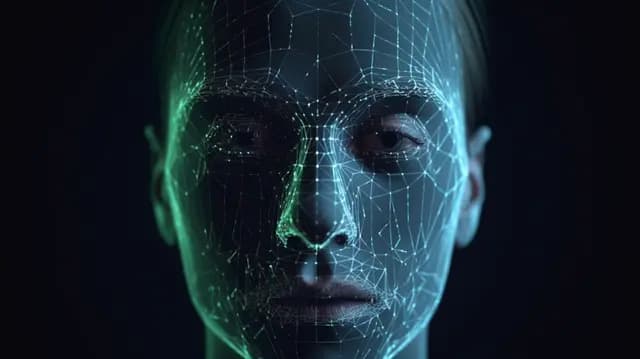
You pick up your phone, glance at it, and it opens. No password, no typing, no thinking about it. Honestly it feels a little like magic.
But your phone is not going "oh hey, it's you." It does not know you the way your friends know you. What it actually does is fire off cameras and sensors, turn your face into a pattern of numbers, and check whether that pattern is close enough to the one it saved.
Your Face Has Patterns
Your face is full of measurements. The gap between your eyes. The slope of your nose. Where your jaw sits relative to your cheekbones. Put all those distances together and you get an arrangement that almost nobody else has.
Your phone has one of those arrangements saved. When you look at it, it builds a fresh one and compares. Close enough, you are in. Basically a very intense matching game happening in under a second.
What Happens When You Set It Up?
Remember how setup makes you roll your head around in a circle? There is a reason for that. Your face does not look the same from every angle or in every light. Bright sun, dim room, glasses on, glasses off.
The phone is collecting enough views to build a pattern that survives all of that. Skip it and you would be locked out every time you sat somewhere shady.
Cameras and Sensors Help
A normal camera just takes a flat picture. Some phones add sensors that measure depth, meaning how far away each part of your face is from the lens. That is the difference between a face and a photo of a face.
Think about a drawing of a cube versus an actual cube sitting on a table. Same outline, completely different in three dimensions. Depth sensing is how a phone refuses to unlock for a printed photo somebody holds up.
Where Does Machine Learning Come In?
Machine learning is the part of AI where a computer figures out patterns from examples instead of following rules somebody typed in. For face unlock, it is what teaches the phone which patterns are yours and how much they are allowed to shift.
Because you change. You smile, you tilt your head, you throw on a hat, you get a haircut that you regret. Machine learning is what keeps the phone from panicking over every small change.
Why Privacy Matters
Here is the uncomfortable part. A password and a face are not the same kind of secret. If someone steals your password, you make a new one in thirty seconds. Nobody has ever gotten a new face.
Can Face Recognition Make Mistakes?
Constantly. It refuses to unlock when it should. It gives up in bad lighting. And more seriously, some systems have worked noticeably worse for certain groups of people, usually because the faces they trained on were not diverse enough.
Which is exactly why humans have to keep testing this stuff, fixing it, and deciding where it should and should not be used.
Try This Thought Experiment
Pretend you are designing the face unlock system. What should it do when:
- The room is pitch dark?
- The person has sunglasses on?
- Someone holds up a photo of the owner?
- Identical twins both try to unlock the same phone?
- The kid who set it up is three years older now?
Every one of those is a real problem engineers had to solve, and the answers pull against each other. Accuracy, security, fairness, and privacy do not always want the same thing.
The Big Idea
Your phone knows your face as a pattern, not as a person. Cameras and sensors gather the data, machine learning decides what counts as a match, and security rules make the final call on whether to open.
Keep Exploring
Why AI Sometimes Gets Things Wrong