Engineering
Predict, Then Launch
Use the Catapult Lab on this site to work out how angle and projectile weight change a shot, write your prediction down, then build the real catapult and find out what the simulator could not tell you.
Medium · 2 hours
Introduction
A simulator gives you the same answer every time you ask it. That is exactly what makes it useful, and it is also the one thing a real catapult made of craft sticks and a rubber band will never do.
So you are going to use both. First the Catapult Lab on the games page, where you can set the angle to the exact degree. Then a real one on the floor, where you cannot.
The Why
In the simulator, angle and power are numbers you choose. On a real catapult they are whatever came out of how far you happened to pull the arm and how it happened to let go, and neither is the same twice. That is why testing a real machine needs repeated trials and an average, while a simulation needs only one run. Finding out where a model stops matching the world is not a criticism of the model. It is the reason engineers build both.
Step-by-Step Instructions
- 1
Open the Catapult Lab on the games page and take about ten shots just to get a feel for the two controls: Angle in degrees and Power in metres per second.
- 2
Hold the Power steady and change only the Angle. Find the angle that sends the shot furthest, then see what happens well above it and well below it.
- 3
Now hold the Angle steady and switch the projectile between Standard, Light, and Heavy. Write down which one carries furthest and which one falls shortest.
- 4
Write both predictions before you build anything: which angle will work best on a real catapult, and which of your three real objects will fly furthest. One sentence of reasoning for each.
- 5
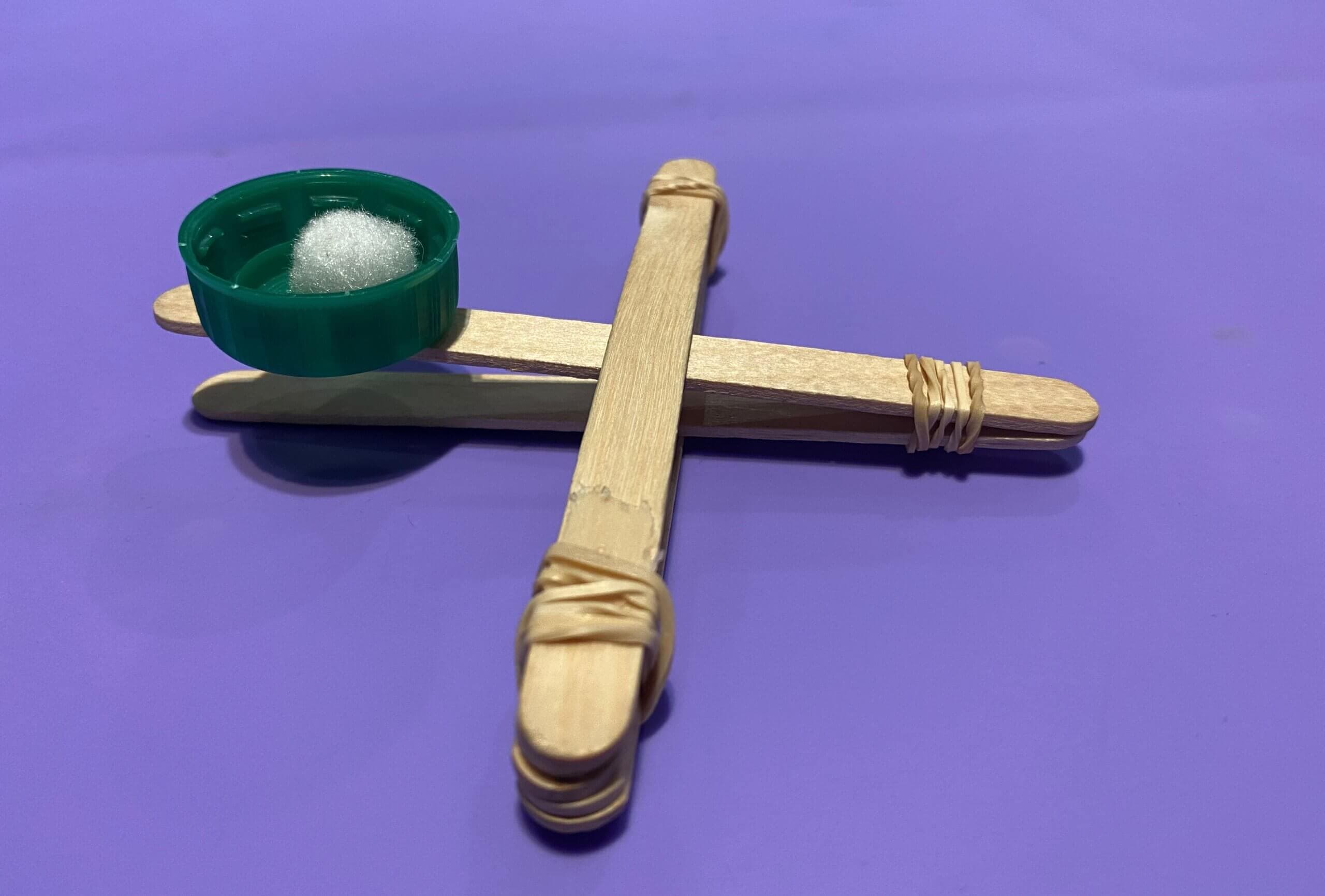
Build the catapult: a stack of sticks as the base, one stick as the throwing arm held by a rubber band at the pivot, and the bottle cap taped on as the bucket. Tape the base down so it cannot slide.
- 6
Mark a launch line and pull the arm back to the same marked spot every single time. Fire each of your three objects five times, and measure where every one of them lands.
- 7
Average the five distances for each object and compare that against what you predicted. Then look at how spread out those five numbers were for a single object. That spread is the thing the simulator never showed you.
Sim vs. Real
Five real shots per object, because one shot tells you nothing at all about a machine this inconsistent.
| Object | Predicted | Shot 1 (cm) | Shot 2 (cm) | Shot 3 (cm) | Shot 4 (cm) | Shot 5 (cm) | Average |
|---|---|---|---|---|---|---|---|
| Row 1, Object | Row 1, Predicted | Row 1, Shot 1 (cm) | Row 1, Shot 2 (cm) | Row 1, Shot 3 (cm) | Row 1, Shot 4 (cm) | Row 1, Shot 5 (cm) | Row 1, Average |
| Row 2, Object | Row 2, Predicted | Row 2, Shot 1 (cm) | Row 2, Shot 2 (cm) | Row 2, Shot 3 (cm) | Row 2, Shot 4 (cm) | Row 2, Shot 5 (cm) | Row 2, Average |
| Row 3, Object | Row 3, Predicted | Row 3, Shot 1 (cm) | Row 3, Shot 2 (cm) | Row 3, Shot 3 (cm) | Row 3, Shot 4 (cm) | Row 3, Shot 5 (cm) | Row 3, Average |
Also write down the largest and the smallest of your five shots for each object. The gap between those two is your spread, and shrinking it is the challenge.